VGInterface.com
Search Downloads


Go Back   LoTROInterface > LotRO Complete Sets

Category: LotRO Complete SetsDaimonUI
Interface Information
Download
daimon's Portal Bug Reports Feature Requests
How do I install this? (FAQ)
Name: DaimonUI   Popular!
Author:
Date: 03-24-2011 11:58 AM
Size: 9.73 MB
Version: 4.0.3 Update 2
Rate File: 4 out of 5 with 47 votes  
Patch & Add-on List
File Name
Version
Size
Author
Date
Type
1.0
321.07 Kb
09-28-2011 04:39 PM
Addon
1.1.1
5.32 MB
03-25-2011 10:48 AM
Addon
4.0.1
5.77 MB
09-08-2010 03:55 PM
Addon
1.0
1.30 MB
02-04-2009 03:54 PM
Addon
Pictures
Click to enlarge 

Views: 0
Size: 98.25 Kb
Dimensions: 1000 x 500
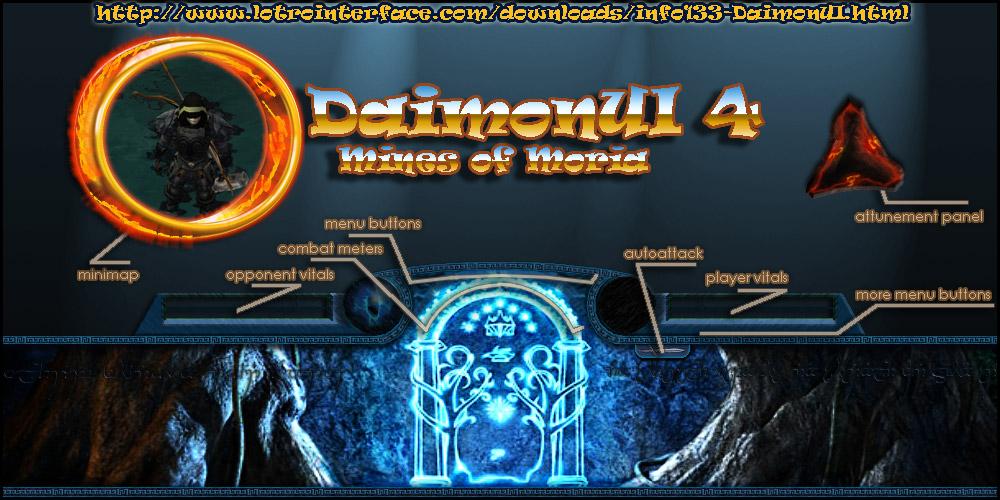
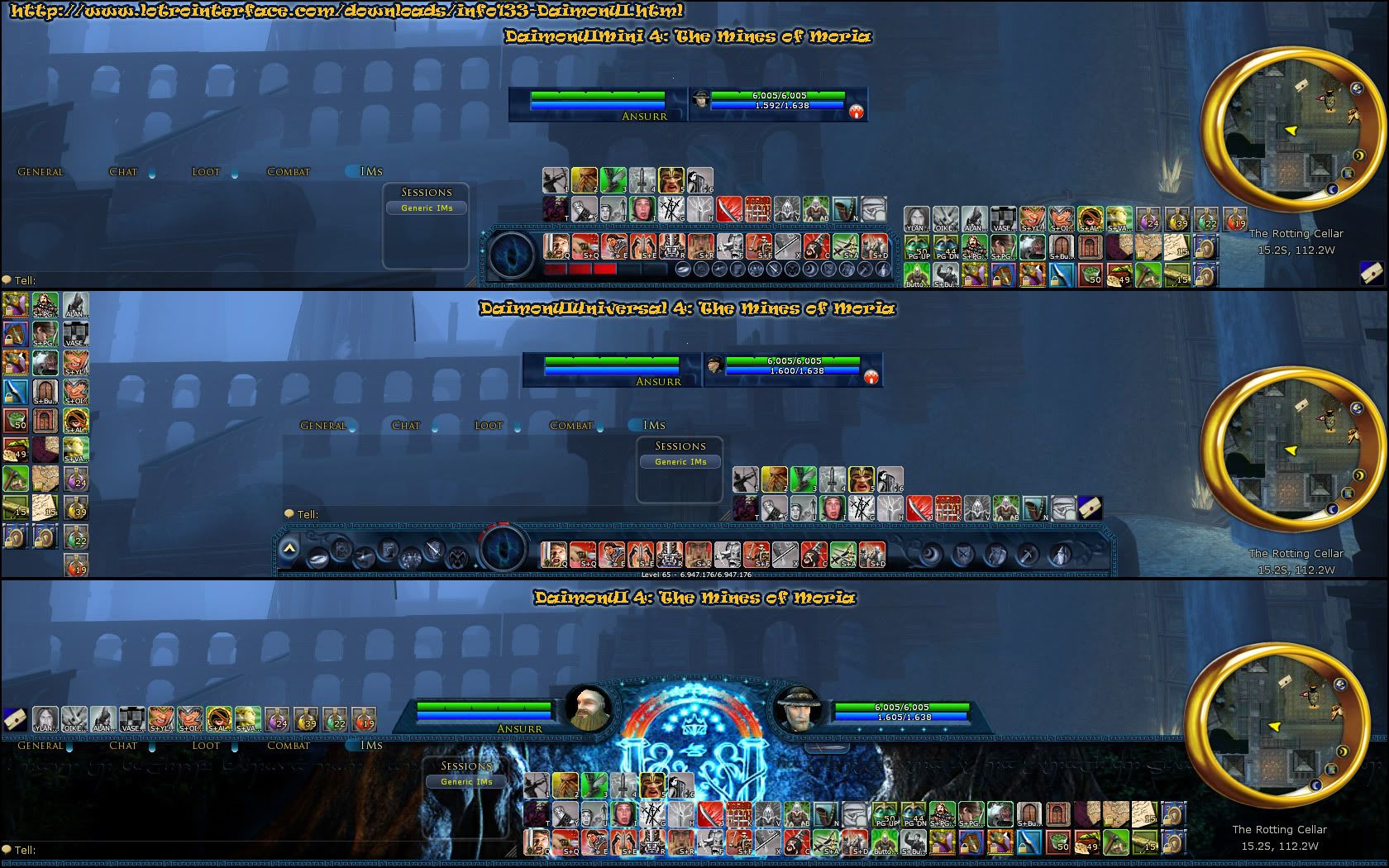
DaimonUI 4: Mines of Moria
 
Description
meta:
daimon hades daimonui lord of the rings lotro ui user-interface lotroui lotrointerface shadows shades surune surma mox
DAIMONUI 4
Mines of Moria
Version: 4.0.3
MD5: 8f295f539219bdf9bb7db6766dfc04ad
__________________________________________________ _____
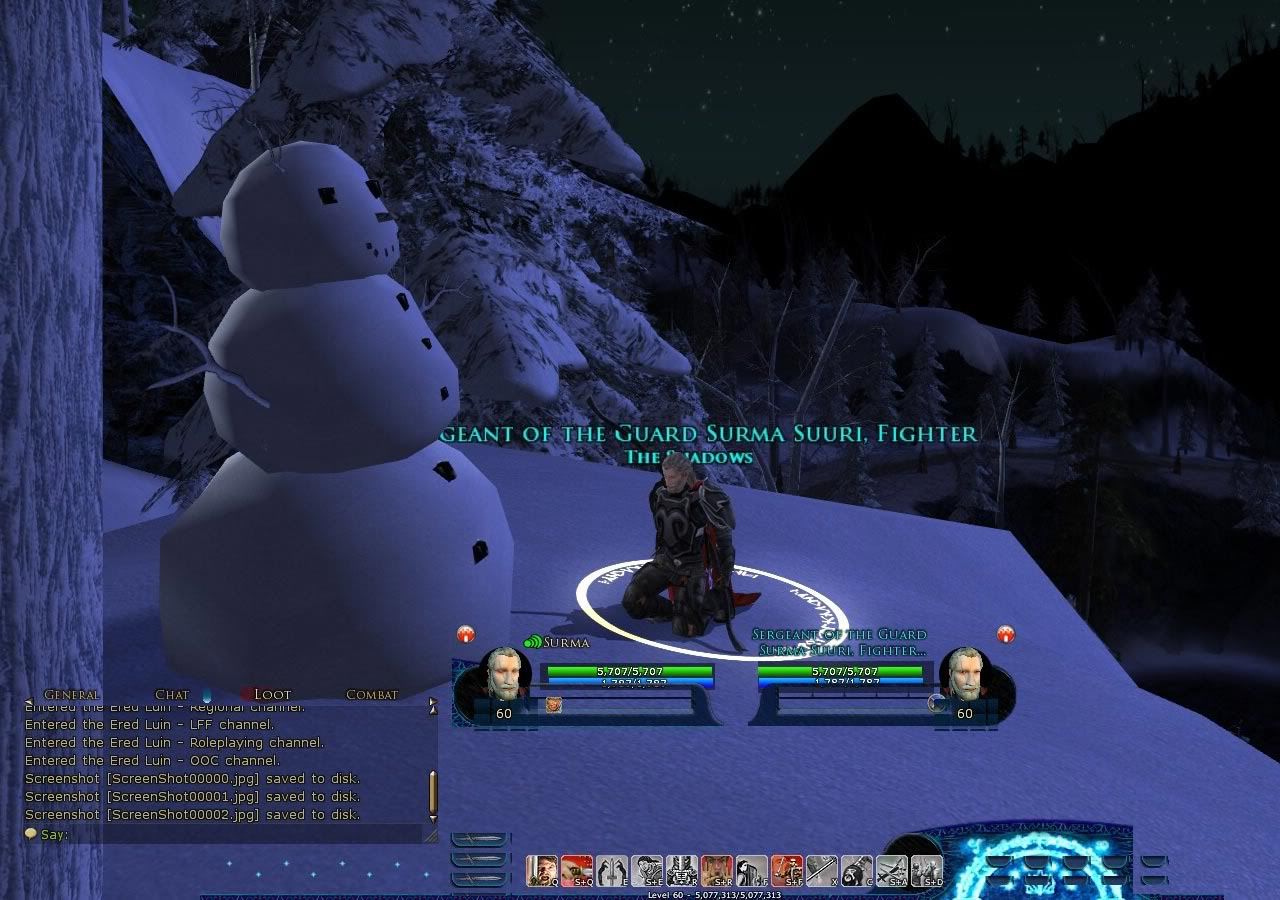
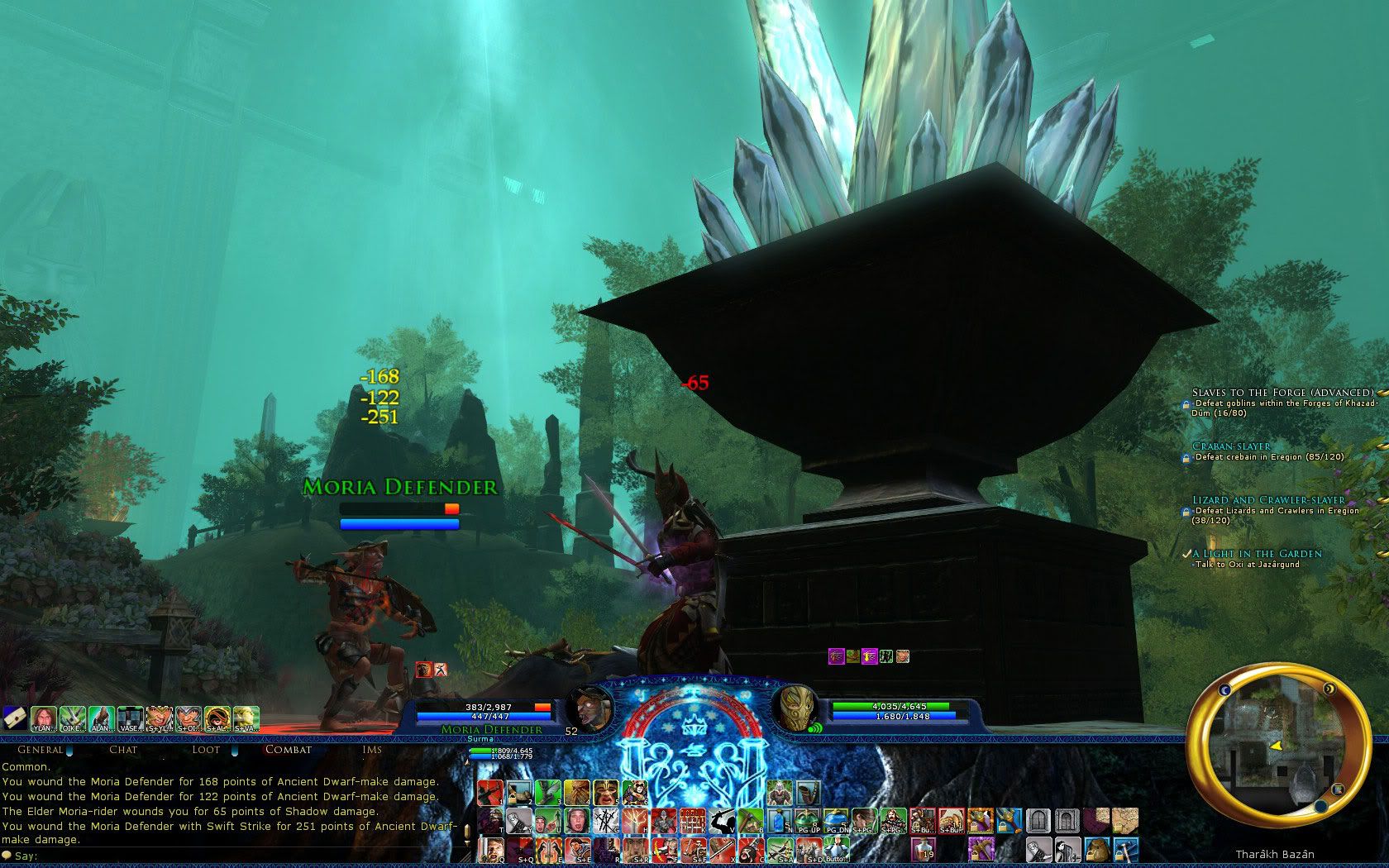
Screenshots
_
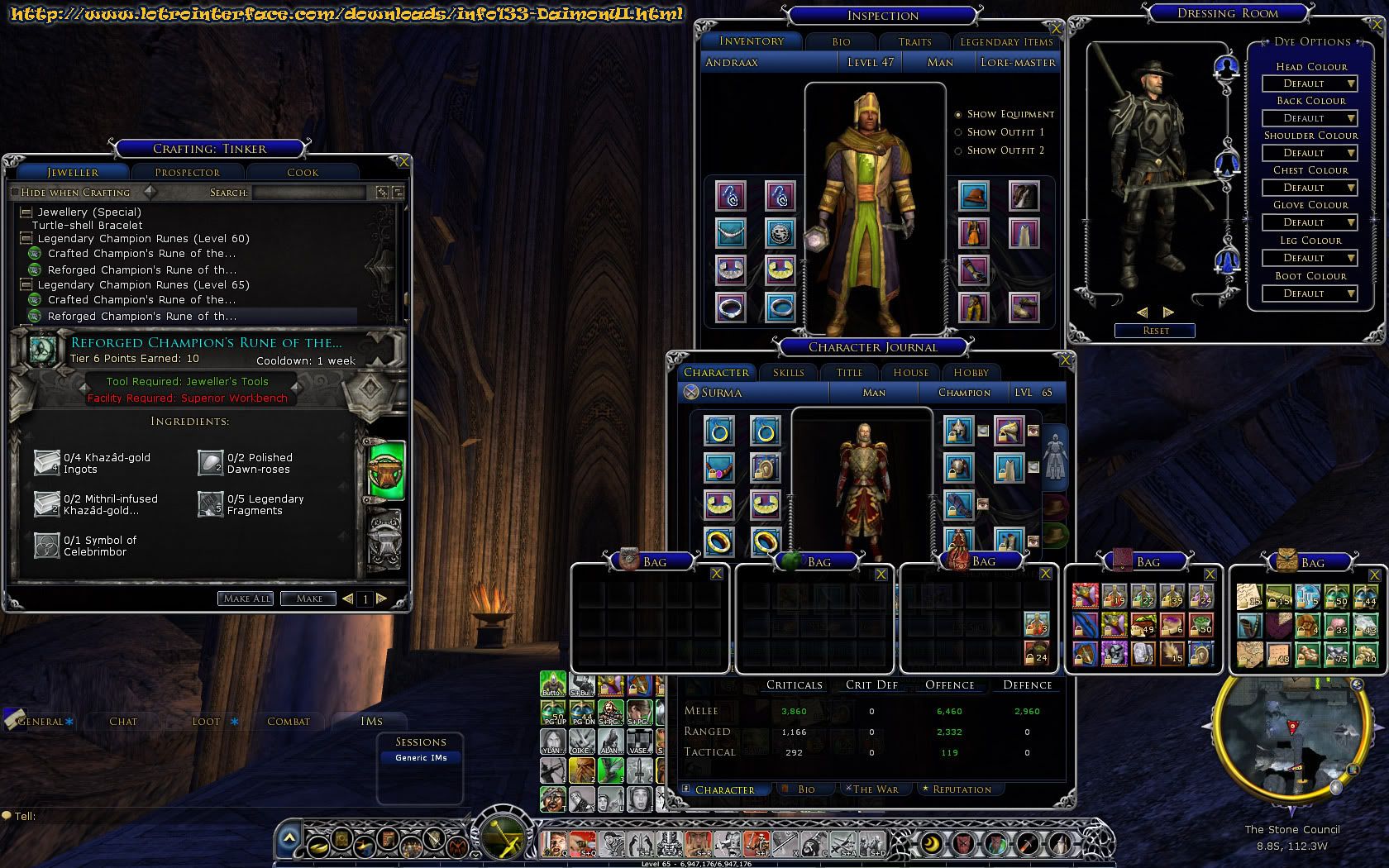
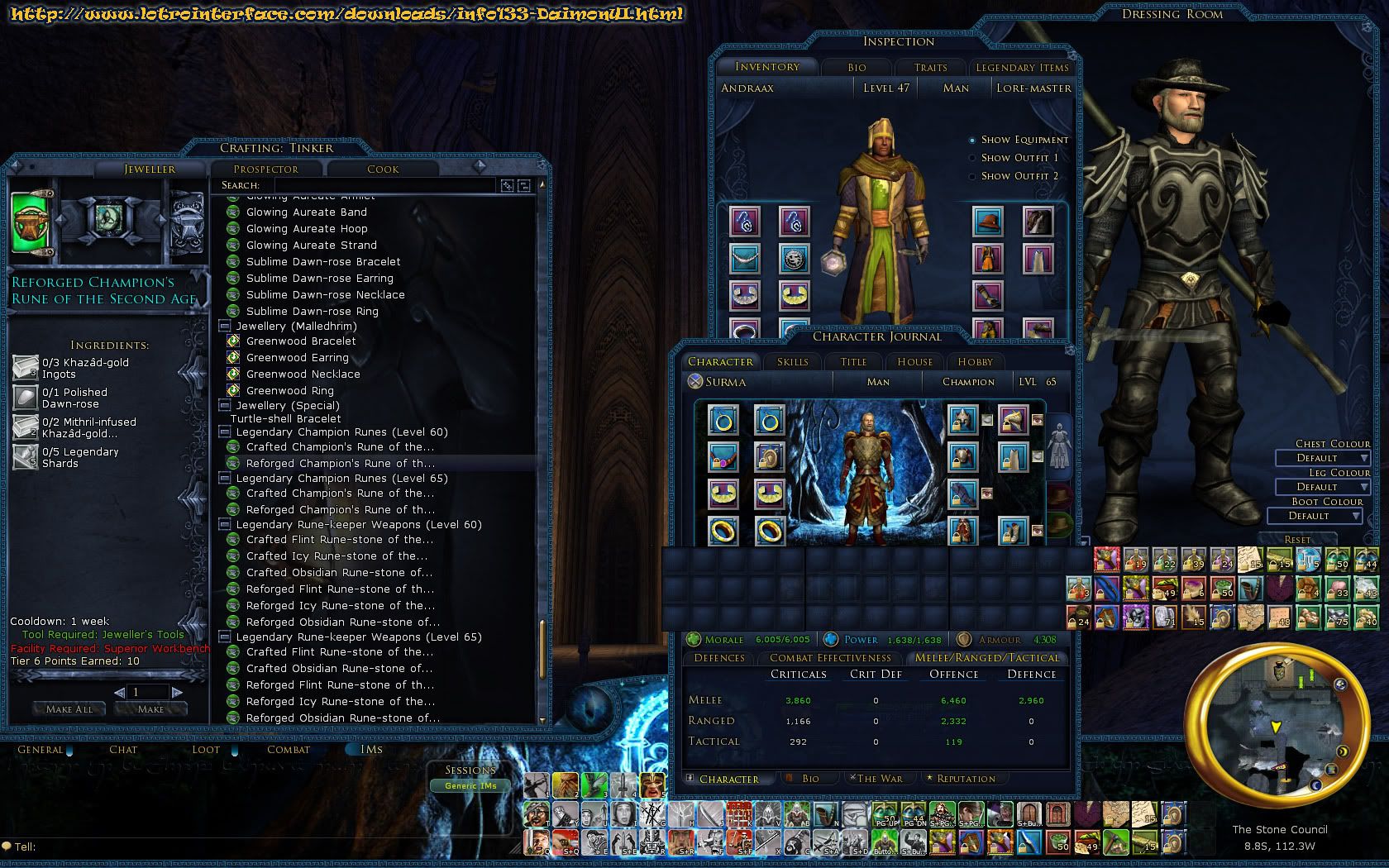
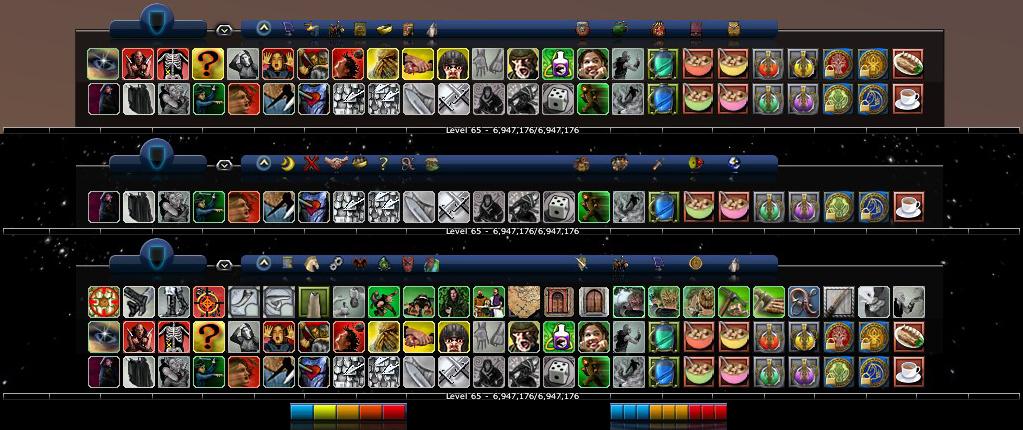
Original UI_________________DaimonUI 4.0
_
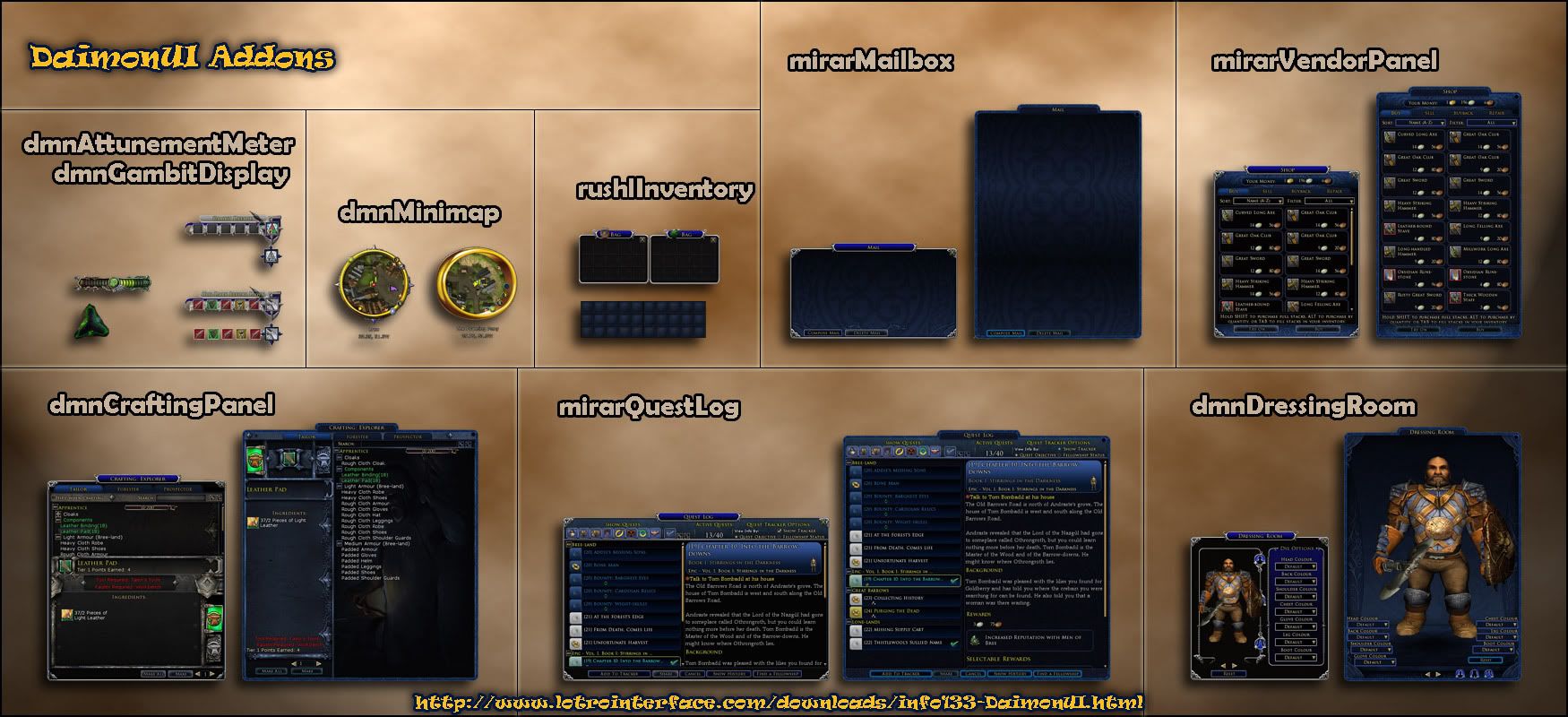
Addons______________________Versions
__________________________________________________ _____

Additional Downloads

__________________________________________________ _____

Troubleshooting
Quote:
My UI is a mess!

If your UI should look like this try to log out and log back in the game (you should always do this after selecting a skin for the first time).
Quote:
My UI is still a mess!

Some of the UI elements can't be moved by code and you have to move them manually by unlocking your UI or by loading a pre-made layout.
Quote:
I can't move my bags!

You can move your bags around by clicking on the area the red bar indicates in the picture.

When you have a problem and want to send a screen capture for me (it helps me to locate the problem a lot), please post a link to the picture only and I will check it out. Please don't embed huge images directly into your comment!

Use tinypic.com for example to upload your screenshot.
_

DaimonUI3 Screenshots
(oldies)
__

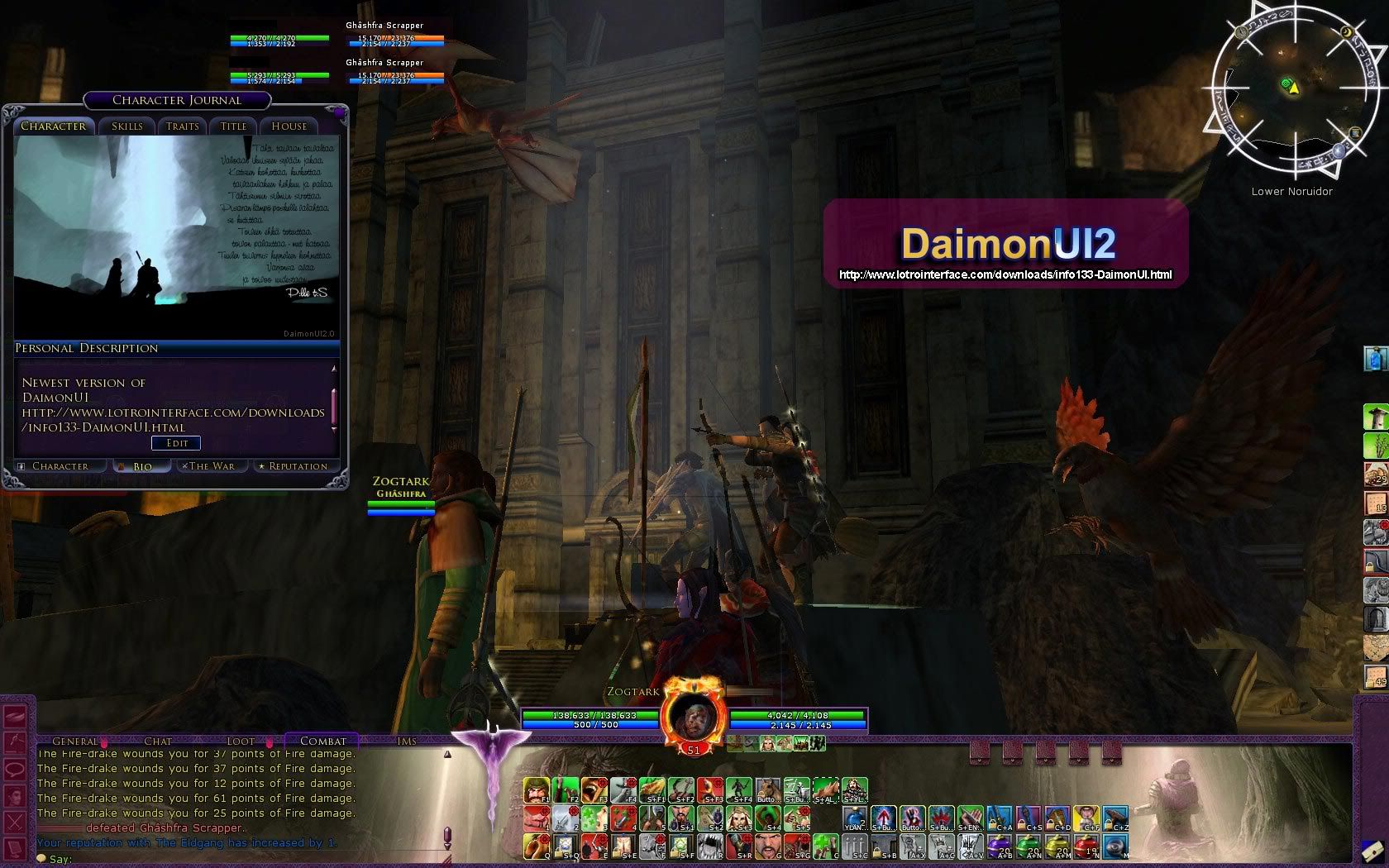
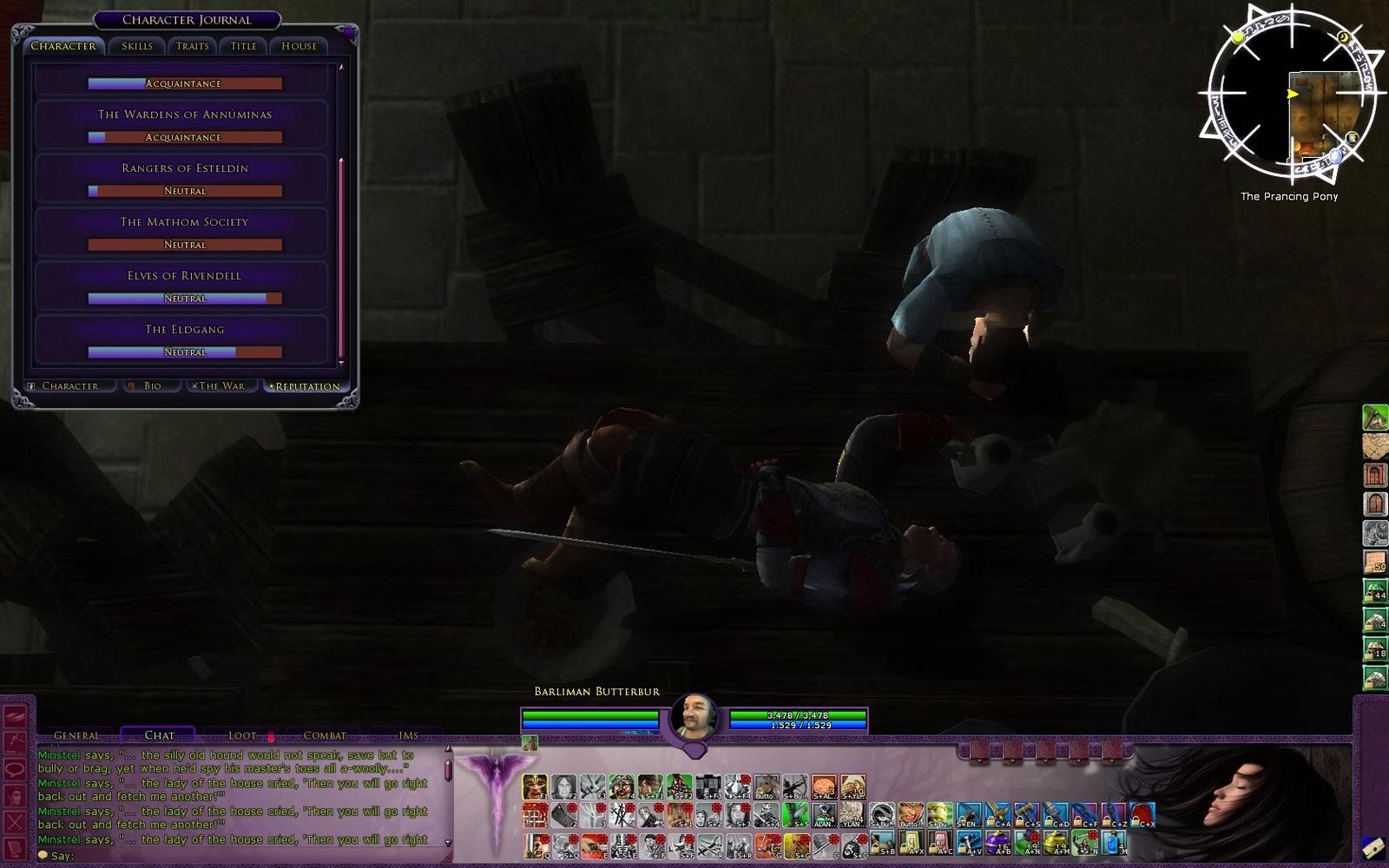
DaimonUI2 Screenshots
(16:10)

DaimonUI 2 Purple (rework) by Liftedplane
DaimonUI Screenshots (4:3)

To extract some of the archived files you will need a program which knows how to handle .rar files:
__________________________________________________ _____
DaimonUI includes:
__________________________________________________ _____
__________________________________________________ _____
I want to thank my guildies in The Shadows (MoX):
You people are the reason that keep me playing The Lord of The Rings ONLINE.
And of course our Achazia's very own band known as The Shades at Laurelin RP-EU

Archive List (Old Versions)
File Name
Version
Size
Author
Date
4.0.2 FTP/V3B2
10.07 MB
daimon
09-21-2010 11:33 AM
4.0.1 - V3B2
6.11 MB
daimon
09-08-2010 04:03 PM
4.0
10.10 MB
daimon
05-20-2010 02:55 AM
3.7.4 Mirkwood
10.53 MB
daimon
04-01-2010 05:36 AM
3.7.3 Mirkwood
14.06 MB
daimon
03-15-2010 06:27 PM
3.7.2 Mirkwood
14.06 MB
daimon
03-09-2010 05:05 PM
3.7.1 Mirkwood
13.65 MB
daimon
03-08-2010 08:58 AM
3.7 Mirkwood
14.06 MB
daimon
03-06-2010 09:42 PM
3.6.3 Mirkwood
13.98 MB
daimon
01-09-2010 02:09 PM
3.6.2 Mirkwood
13.84 MB
daimon
12-11-2009 09:30 AM
3.6.1 Mirkwood
13.83 MB
daimon
12-07-2009 04:52 AM
3.6 Mirkwood
13.80 MB
daimon
12-07-2009 02:29 AM
3.6 beta (SoM)
12.66 MB
daimon
12-03-2009 01:20 PM
3.5
12.32 MB
daimon
10-29-2009 11:14 AM
3.4
11.75 MB
daimon
09-30-2009 07:32 PM
3.3.1
10.69 MB
daimon
04-06-2009 07:15 AM
3.3
10.69 MB
daimon
04-04-2009 06:15 AM
3.2.1
4.20 MB
daimon
02-24-2009 11:27 AM
3.2
3.52 MB
daimon
02-16-2009 08:33 PM
3.1.1
2.66 MB
daimon
02-09-2009 12:52 PM
3.0
2.30 MB
daimon
01-28-2009 12:30 PM
2.0
3.14 MB
daimon
12-04-2007 08:45 AM
1.1
1.73 MB
daimon
09-30-2007 10:10 AM
1.02
1.76 MB
daimon
09-30-2007 07:57 AM
File Statistics
User Rating:
4 out of 5 with 47 votes
Downloads: 89692
Views: 355564
Favorites: 86
Uploaded By:
 
Last Modified: 10-04-2011 03:57 PM by daimon    

View Pictures. Download Now! Post A Comment


Post A Reply
Author Comments Comment Options
Old 04-18-2012, 08:00 AM  
daimon
Super Moderator
 
daimon's Avatar
LOTROInterface Super Mod
Interface Author - Click to view interfaces

Forum posts: 450
File comments: 357
Uploads: 12
Thela: Yes apparently so. Thanks to Eili I will be able to fix it most likely. I see if I manage to make a patch
daimon is offline Report comment to moderator   Reply With Quote Reply With Quote
Old 04-16-2012, 08:17 PM  
Thela
The Wary

Forum posts: 0
File comments: 1
Uploads: 0
Update 6.1

Ahhh, patch day... when I logged in and joined a fellowship, I got this:

http://s16.postimage.org/5v2a1yi6d/S...Shot00025b.jpg

The 3 classes should be Minstrel, Loremaster, and Guardian, but they all appear as a blue Captain icon. Any suggestions?

EDIT: It looks like it's an issue having to do with the new anniversary custom portraits, if I click on someone who has one of the custom portraits then their portrait changes to the default skin.

Last edited by Thela : 04-17-2012 at 12:47 AM.
Thela is offline Report comment to moderator   Reply With Quote Reply With Quote
Old 04-11-2012, 01:53 PM  
daimon
Super Moderator
 
daimon's Avatar
LOTROInterface Super Mod
Interface Author - Click to view interfaces

Forum posts: 450
File comments: 357
Uploads: 12
txtsd: sorry for the really late reply. seems that i've missed that from the decompiler. you can manually edit the skindefinition.xml after and remove the part where it says JOURNAL PANEL (the entire chunk until the next panel marker).
daimon is offline Report comment to moderator   Reply With Quote Reply With Quote
Old 01-21-2012, 04:04 PM  
txtsd
The Wary

Forum posts: 0
File comments: 2
Uploads: 0
When I customize the skin, the character panel always gets cut off and therefore I can't hit any of the buttons at the bottom, or see the stats on the right side. Is there any way I can customize but be able to leave the character panel as default?
txtsd is offline Report comment to moderator   Reply With Quote Reply With Quote
Old 01-04-2012, 02:37 AM  
liftedplane
The Indomitable
 
liftedplane's Avatar
Interface Author - Click to view interfaces

Forum posts: 14
File comments: 30
Uploads: 6
Sorry fellas, seems SWTOR managed to suck me in and combining that with my IRL work these days seems I don't have the energy to complite an update, at least not yet. I'm not abandoning Lotro or this project yet, I still have my LTA for Lotro

However the skin is still working quite decent, it only misses a few buttons that I could and probably should fix.


hobo1: You can send me a link to your screenshot and i'll have a looksie. use something like tinypic.com to upload it.


that's awesome, in a not awesome kind of way. SWTOR did it to me as well. >_> I can't hardly even stand to play lotro right now. thankfully I've got a LTA as well.
liftedplane is offline Report comment to moderator   Reply With Quote Reply With Quote
Old 12-12-2011, 09:01 AM  
daimon
Super Moderator
 
daimon's Avatar
LOTROInterface Super Mod
Interface Author - Click to view interfaces

Forum posts: 450
File comments: 357
Uploads: 12
Sorry fellas, seems SWTOR managed to suck me in and combining that with my IRL work these days seems I don't have the energy to complite an update, at least not yet. I'm not abandoning Lotro or this project yet, I still have my LTA for Lotro

However the skin is still working quite decent, it only misses a few buttons that I could and probably should fix.


hobo1: You can send me a link to your screenshot and i'll have a looksie. use something like tinypic.com to upload it.

Last edited by daimon : 12-12-2011 at 09:02 AM.
daimon is offline Report comment to moderator   Reply With Quote Reply With Quote
Old 10-31-2011, 08:02 AM  
Cylock
The Wary

Forum posts: 0
File comments: 1
Uploads: 0
Will there be any updates or revamps for the latest patches?
Cylock is offline Report comment to moderator   Reply With Quote Reply With Quote
Old 10-24-2011, 06:28 PM  
hobo11
The Wary

Forum posts: 1
File comments: 4
Uploads: 0
player vitals is messed up on pvp side

Hello.
I'm having a problem with the player vitals, the panel in the uper left corner that shows my vitals, in monster play its not being rendered corectly, looks like the health and power bars are shifted a litle to the left, cutin off a bit of the bars and leaving a blank section on the right side.
I have tried removing the pvmp folder in hopes it might default to the normal skin but that just made it worse.
I do have a screen shot of this, but no idea how to put that in here, if you need to see it for a beter idea what I am talking about then just help me to add it and i will.
Any help fixing this would be apreciated, thanks.
hobo11 is offline Report comment to moderator   Reply With Quote Reply With Quote
Old 10-24-2011, 09:40 AM  
IceTiger
The Wary

Forum posts: 4
File comments: 7
Uploads: 0
just a quick plea to give the xpbar some loving, it would be great if it had dividers or even showed the percentage directly. I have measured my monitor and put marks on it to give me a reasonable guess on progress. but something in the UI itself would be best. i am actually trying to figure out how to make that mod myself, but my progress is slow going.

in any event, thanks for an awesome UI, it really helps the game for me to be much more enjoyable!
IceTiger is offline Report comment to moderator   Reply With Quote Reply With Quote
Old 10-07-2011, 10:16 AM  
enemy
The Wary

Forum posts: 0
File comments: 6
Uploads: 0
Can't wait for an updated version. I exclusively use the mini version because I run at 1080p resolution and like to have the maximum screen space as possible.
enemy is offline Report comment to moderator   Reply With Quote Reply With Quote
Old 10-04-2011, 07:28 PM  
Dissident
The Wary

Forum posts: 0
File comments: 1
Uploads: 0
Just installed your UI and love it. Made a couple of minor changes, including not using the ring minimap and moving the mini map to the bottom middle of the screen, and repositioning the bars to either side and obviously the main bar below.

My question is, would it be possible to get rid of the background image and just have it transparent?

Thanks in advance,
Dissident is offline Report comment to moderator   Reply With Quote Reply With Quote
Old 09-28-2011, 04:48 PM  
liftedplane
The Indomitable
 
liftedplane's Avatar
Interface Author - Click to view interfaces

Forum posts: 14
File comments: 30
Uploads: 6
no problem daimon, glad I could help

just did an addon for greytail, awaiting approval, it's just a simple carbon fiber background with the moria gate and some dwarven runes on the left.

I've always loved this skin (and my purple version thanks daimon) and can't wait to see what daimon has in store, Now that there are new art assets I am going to try to finish my skin I was working on a while ago. we shall see, again I'm waiting for swtor like daimon, got the email about release just waiting for my beta invite is all. It seems like every summer I lose interest in this game, no idea why

Last edited by liftedplane : 09-28-2011 at 04:54 PM.
liftedplane is offline Report comment to moderator   Reply With Quote Reply With Quote
Old 09-22-2011, 06:47 AM  
daimon
Super Moderator
 
daimon's Avatar
LOTROInterface Super Mod
Interface Author - Click to view interfaces

Forum posts: 450
File comments: 357
Uploads: 12
First of. Sorry for beeing a slacker and not responding the questions activly as I have done in the past. Many thanks for Liftedplane for doing this for me hehe.

Secondly. About the future of the skin (again).
I lost my interest to lotro during the summer, I'm picking it up again and hopefully ROI will bring my motivation back. Turbine not releasing new skin resources haven't helped on this either, hopefully that will change soon (at least they have promised so).

I'll try to fix the essential things asap after the new resources are released (for both DaimonUI and DF Revisited). This should take no more than a few days.

The larger update schedule is TBA, depends of my motivation I suppose. I plan to scrap the current mini version and make it quite a bit more .. mini, with additional features. The main skin will also see some changes, mainly on vitals part as I'm planning to switch them, or better yet make the vitals so you can deside in what order you want them to be displayed (left to right and right to left, currently the vitals can only be displayed in "goofy" order that annoys quite a bit people I heard). A bit hard to explain in short but you'll see, I hope hehe. Universal will remain mostly as it is.

I also want to make the skin compatible with some of the plugins like the awesome Palantir, that means doing some optional Vital panel modifications. But first let's see what new API's there is and if it ease my work.

The largest part of the rework is that I'm planning to make a GUI installer for all the features there is to select (there's going to be quite many, the current basic script doesn't cut it anymore), something similar you might have seen in UiBuilder or so.

Hopefully I can accomplish all that before SWTOR goes live :P


Lastly to answer the questions:

Mynameisme: You might want to check out the newly uploaded RKNAM Halo skin, this might be just what you're looking for without tying to mess with my skindef files yourself (although it is quite fun after you learn the basics). Check http://lotrointerface.com/downloads/...RKNAMHalo.html

Greytail: Poke me or liftedplane with pm's if you still want a "special edition"

Whitecloud: Easiest way to do this is to go to the addons folder and open up the minimap xml file to your notepad. Erase all information from the file leaving it totally empty and run the setup script. Other way is to open the actual skindefinition.xml and removing the exact same information that is in the minimap xml (you can do a search to find it quickly), save it and run the game. This should remove the modified minimap entirely (note that there are several skindefinition.xml's in my skin for different reasons, you would need to edit each of them that you will use - that's why I recommend the first option.).

Last edited by daimon : 09-22-2011 at 07:44 AM.
daimon is offline Report comment to moderator   Reply With Quote Reply With Quote
Old 09-10-2011, 03:34 PM  
liftedplane
The Indomitable
 
liftedplane's Avatar
Interface Author - Click to view interfaces

Forum posts: 14
File comments: 30
Uploads: 6
@whitecloud, if you want to stock minimap then yes remove everything from the skindef file AND the minimap files, if you want to change it to another, make sure you check the files and name them properly (such as hope+ or dread) then replace the ones in the minimap folder and leave the skindef alone, sorry it took so long to reply, I've been busy with well with the army and life.

@greytail, what is your resolution? I could throw something together for you quickly and email over the file if you'd like. let me know

@mynameisme, I'm not entirely sure, it's all about messing around in the skindefs and with the files.... most of the skindef stuff is in plain english it just looks difficult, mess around see what you get, I learned to build these by tearing down daimon's And thank you daimon for allowing me to.

Last edited by liftedplane : 09-10-2011 at 03:36 PM.
liftedplane is offline Report comment to moderator   Reply With Quote Reply With Quote
Old 09-03-2011, 06:22 AM  
Greytail
The Indomitable

Forum posts: 10
File comments: 15
Uploads: 0
New Backdrop?

Daimon,

Could you by chance make a backdrop that is just a black texture. Sort of like a carbon style backdrop? The reason that I ask is that if you have bad eyesight, as I do, the blue color tends to wash out the icons to where you can't see them clearly and it's rather distracting. I tried to modify it myself but it came out a total failure due to my lack of skill

Grey
Greytail is offline Report comment to moderator   Reply With Quote Reply With Quote
Post A Reply

 
Category Jump:
Search this Category:
 

All times are GMT -5. The time now is 12:45 PM.


Our Network
EQInterface | EQ2Interface | Minion | WoWInterface | VGInterface | LoTROInterface | MMOInterface | Swtorui